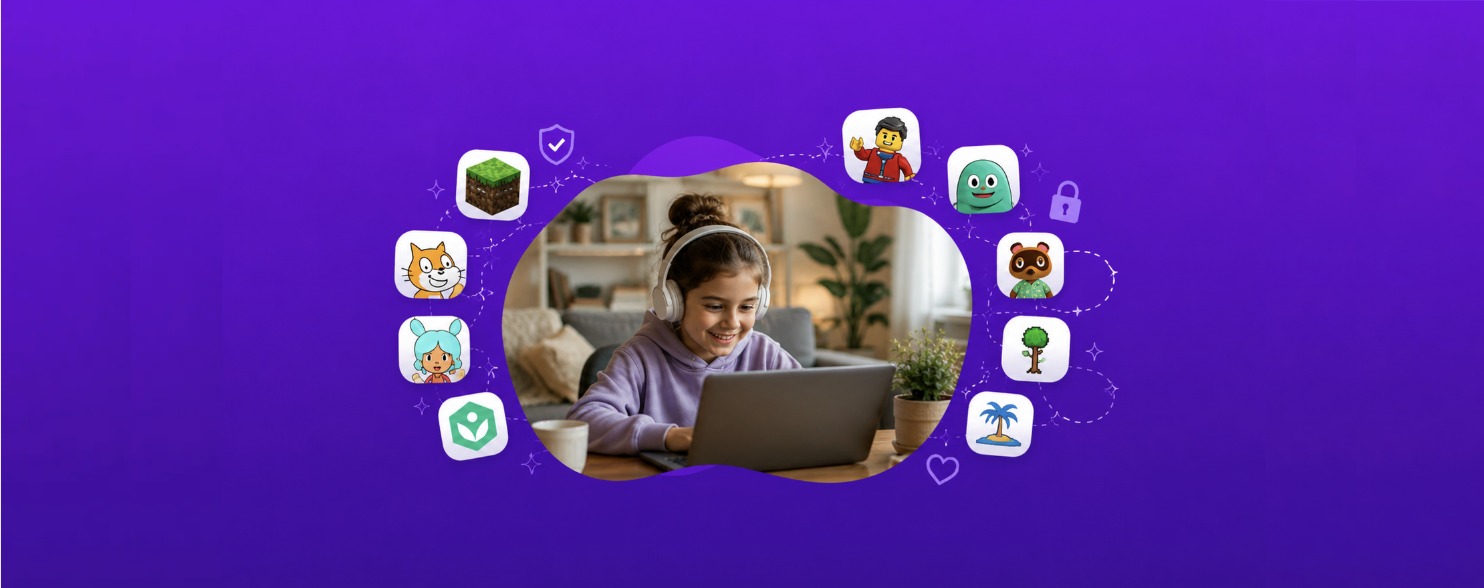
Quick answer: The best Minecraft alternative for a child depends on what they value most — building, story, combat, co-play, or a closed social environment. Compare those trade-offs first, then decide whether Mysh or another option is the better fit. For kids around 8 to 11, the strongest picks are Mysh for story and characters, Luanti (formerly Minetest) or LEGO Builder’s Journey for building, Terraria or Stardew Valley for exploration, and Scratch if the building instinct is really an engineering one. If your child mainly loves building, Minecraft’s own Creative mode with multiplayer switched off may still be the simplest fix.
If you’re here, you probably don’t hate Minecraft. Most parents don’t. The blocky zombies aren’t the problem. What tends to wear families down is everything around the edges: who your kid is talking to on a server you’ve never heard of, the fact that there’s no natural moment to stop, and the small charges that show up on your card because a payment method was saved on the tablet.
This guide covers what those concerns actually are, what to look for in an alternative, and ten games worth considering for kids roughly 8 to 11 — grouped by what your child actually loves about Minecraft, because “alternative” means something different for a builder than it does for an adventurer.
What parents are actually worried about with Minecraft
Minecraft is rated E10+ by the ESRB and PEGI 7 in Europe, and most safety reviewers describe the violence as cartoonish — creatures vanish when defeated, there’s no blood, and combat is closer to a Saturday-morning cartoon than anything realistic.
So the friction usually isn’t the game itself. Across safety guidance from the ESRB, Common Sense Media, Internet Matters and others, four themes come up again and again.
1. Multiplayer chat and unmoderated servers
This is consistently the biggest one. Minecraft’s public and private servers can include open text chat, and independent server owners set their own rules — Microsoft and Mojang don’t moderate every third-party server. That means a child can end up talking with people no parent has approved. Most safety guides recommend keeping multiplayer off entirely for younger children, and using invite-only realms with real-life friends for older ones.
2. No natural stopping point
Minecraft is an open world with no levels and no ending. That’s genuinely part of its appeal — but it also means there’s no built-in moment where a session feels complete. If bedtime in your house involves a nightly negotiation, this is usually why. Games with defined sessions, chapters, or story endings tend to make “okay, that’s it for tonight” a much shorter conversation.
3. In-game purchases
The Bedrock edition includes a Marketplace that runs on Minecoins, a virtual currency bought with real money. Purchases are generally final, and if a payment method is saved on the device, a child can spend without fully understanding what they’ve done. EU consumer authorities have raised concerns about how in-game currencies like this are designed and presented to children.
4. Griefing and online conflict
On open servers, other players can destroy something your child spent hours building — the community calls this griefing. For some kids this lands harder than any in-game monster, because it’s a real social conflict rather than a fictional one.
Practical note before you switch games: many of these are fixable inside Minecraft. Creative mode with multiplayer disabled, a local single-player world, removing the saved payment method from the device, and turning on parental controls through a Microsoft Family account solve a large share of the problem. Switching games is worth it when the shape of the play is the issue — the endlessness, the solo-in-a-room-for-three-hours pattern — not just the settings.
What to look for in a Minecraft alternative
When you’re comparing options, five things matter more than graphics:
- Chat design. No chat at all, chat limited to approved friends, or fully open? This is the single biggest safety variable.
- Spending model. Free with no purchases, one-time paid, or free-to-play with a currency? Free-to-play with a currency needs the most supervision.
- Session shape. Does the game have levels, chapters, or a natural ending — or does it run forever?
- Creative ceiling. Can your child make something they’re proud of, or is it a guided experience with limited output?
- Whether you can play together. Games that invite a parent in tend to produce far less screen-time conflict than games that don’t.
Comparison: 10 Minecraft alternatives at a glance
| Game | Best for | Ages | Building depth | Story | Chat with strangers | Purchases | Co-play | Device | Natural stopping point |
|---|---|---|---|---|---|---|---|---|---|
| Mysh | Adventure and characters | 8–11 | None | Core — the child writes it | None | None | Designed for it | Any browser | Yes — stories end |
| Toca Boca World | Open-ended pretend play | 5–9 | Light decorating | Player-invented, unsaved | None | Paid add-on packs | Easy | App | No |
| LEGO Builder’s Journey | Calm, structured building | 7+ | Puzzle-based, guided | Light, wordless | None | One-time purchase | Easy | Download | Yes — levels |
| Minecraft Creative (offline) | Pure building | 7+ | Deepest here | None | None if offline | Already owned | Easy | Download or console | No |
| Luanti (Minetest) | Free Minecraft-style sandbox | 9–12 | Deep, mod-extensible | None | Public servers only | None — open source | Moderate | Download (PC) | No |
| Terraria | Exploration and combat | 10+ | Deep, 2D | Light progression | Multiplayer only | One-time purchase | Moderate | Download or console | No |
| Stardew Valley | Slower, goal-led sandbox | 9+ | Moderate — farm and home | Strong, character-driven | Multiplayer only | One-time purchase | Easy — co-op | Download or console | Soft — daily cycle |
| Animal Crossing | Gentle creativity | 7+ | Moderate — island design | Light, ambient | Limited; controls available | One-time purchase | Easy | Nintendo Switch | Soft — daily cycle |
| Scratch | Making things others play | 8–12 | Systems, not blocks | Player-built | Moderated comments | None — nonprofit | Moderate | Any browser | Yes — projects |
| Roblox (locked down) | Breadth and friends | 9–12 | Deep, varies | Varies by experience | Yes, unless restricted | Robux currency | Moderate | App or browser | No |
Ages shown are each product’s own published rating, not our recommendation — which is why some sit outside the 8–11 range this guide is written for. Cost models, ratings, and features change, so check current details before buying.
Calmer picks: story, pretend play, and guided building
These suit the younger end of 8 to 11, or a child who finds an open sandbox overwhelming rather than exciting.
Mysh — best for kids who love the adventure, not the architecture
What it is: A free, browser-based collaborative storytelling game where kids build characters and go on story adventures with a parent or family member. Nothing to download, no Microsoft or Xbox account.
Why it works as an alternative: Mysh isn’t trying to be a better block-builder. It’s built around a different shape of play. Adventures happen inside a closed family group, so there’s no open chat with strangers and no public servers. Because each adventure is a story with a beginning and an end, there’s a natural stopping point built into the format — which is often the real reason parents go looking for something else. There’s no in-game currency, so no marketplace and no surprise charges.
Best for: Children who love inventing characters, naming things, and going somewhere in Minecraft — rather than the block-by-block construction.
Honest limitation: If your child’s actual passion is engineering redstone contraptions or building a scale replica of your house, Mysh won’t scratch that. That’s a building interest, and Minecraft’s own Creative mode or Luanti serves it better. Minecraft remains the deepest open-ended builder available, and nothing on this list replaces it on that specific measure.
Toca Boca World — best for open-ended imaginative play
A digital dollhouse-style sandbox where kids design characters, decorate spaces, and invent everyday scenarios. No chat, no competition, no fail states. The base app is free with paid add-on packs, which is worth knowing before you hand over the tablet. Honest note: this one skews younger than the rest of the list — it lands best around 8, and many nine- and ten-year-olds will have outgrown it. It also has no natural ending, so you’ll still want a timer.
LEGO Builder’s Journey — best for calm, structured building
A quiet puzzle game built from LEGO bricks, with levels and a defined arc. Because it’s level-based, sessions end on their own. It’s a one-time purchase with no in-game spending and no online interaction at all. It’s more puzzle than free-build, so a child who wants unlimited creative freedom may find it narrow.
Deeper picks: sandbox, exploration, and making
These suit a child at the older end of 8 to 11, or one who’s already comfortable with Minecraft’s depth and wants something equally open.
Luanti (formerly Minetest) — best free Minecraft-style sandbox
An open-source voxel sandbox that looks and plays close to Minecraft, with community-made mods and games. It’s free, and if you play single-player or on a private local server there’s no contact with strangers. The trade-off: it’s rougher around the edges than Minecraft and setup takes a bit more parental effort.
Terraria — best for exploration and combat
Often described as a 2D Minecraft, Terraria leans harder into exploration, crafting, and boss fights. It’s a one-time purchase with no in-game currency. It’s more combat-heavy than Minecraft, so it suits older kids, and multiplayer should be limited to people you know.
Stardew Valley — best for a slower, goal-oriented sandbox
Farming, fishing, mining, and building relationships in a small town. The in-game day cycle gives sessions a soft natural ending, which is genuinely useful at bedtime. One-time purchase, no microtransactions, and co-op means you can play alongside your child.
Animal Crossing: New Horizons — best for gentle creativity
Island design, decorating, and a real-time daily rhythm that discourages marathon sessions by design. Online play requires an active choice and Nintendo’s parental controls can restrict it. Requires a Switch, so it’s the highest-cost option here.
Scratch — best if the building instinct is really an engineering instinct
A free coding platform from MIT where kids build their own games and animations. If your child is the one automating farms with redstone, Scratch redirects that same instinct into something that transfers directly to real skills. There’s a public sharing community with comments, which is moderated but not chat-free, so it’s worth reviewing the account settings together.
Roblox — only with the settings locked down
Worth naming honestly, because many parents end up here. Roblox has enormous creative range, but it’s free-to-play with a currency (Robux) and chat is on by default. It can be made reasonably safe with account restrictions, chat limits, and spending controls — but it requires the most active parental management of anything on this list.
How to switch games without a meltdown
Changing games is a transition, not a settings change. A few things that tend to help:
- Don’t frame it as a punishment. “Minecraft is bad” invites an argument. “I found something I think you’d like — want to try it with me?” doesn’t.
- Play the first session together. Almost every alternative on this list lands better when a parent is in the room for the first twenty minutes.
- Ask what they actually love. The answer is usually one of three things: building, exploring, or being with friends. Match the replacement to the answer, not to Minecraft as a whole.
- Keep Minecraft around, reshaped. Creative mode, offline, no payment method saved. Removing a game entirely raises the stakes; changing how it’s played usually doesn’t.
Getting started with Mysh
If the adventure-and-characters side is what your child is drawn to, Mysh is free to try and runs in the browser — no download, no Xbox or Microsoft account. Visit playmysh.com, set up a family profile, build a character together, and start your first story. Most families are playing within a few minutes.
Frequently asked questions
What is the best Minecraft alternative for kids? It depends on what your child loves about Minecraft. For story and character-driven play, Mysh is a strong free, browser-based option with no chat and no purchases. For open-world building, Luanti (formerly Minetest) is the closest free equivalent. For structured, calm play, LEGO Builder’s Journey works well.
Is Minecraft too violent for young kids? Most reviewers consider Minecraft’s violence mild and cartoonish, with no blood or gore. For younger children, the more common concerns are multiplayer chat, in-game purchases, and the lack of a natural stopping point — not the combat.
What is a safe alternative to Minecraft with no chat? Mysh, Toca Boca World, and LEGO Builder’s Journey have no open chat with strangers. Minecraft itself can also be played offline in single-player Creative mode, which removes chat entirely.
Is there a free Minecraft alternative? Yes. Luanti (formerly Minetest) is a free, open-source voxel sandbox. Mysh is free and runs in the browser. Scratch is free and better suited to kids who like building systems. Roblox is free to download but includes a purchasable currency.
Why does my kid not want to stop playing Minecraft? Minecraft is an open world with no levels or ending, so there’s no built-in point where a session feels finished. Games structured around levels, chapters, or stories — or with an in-game day cycle — give kids a natural place to stop.
Can my child spend money on Minecraft without me knowing? It’s possible. Minecraft’s Bedrock edition includes a Marketplace that uses Minecoins, and if a payment method is saved on the device, purchases can go through easily. Removing the saved payment method and enabling purchase approval through a Microsoft Family account prevents this.
What age is Minecraft appropriate for? Minecraft is rated E10+ by the ESRB and PEGI 7 in Europe. Many younger children play it, often introduced by an older sibling. Most safety guides suggest Creative mode with multiplayer disabled for children under 8.
Is Mysh similar to Minecraft? It shares the creativity and imagination, but not the format. Instead of building and surviving in an open world, kids create characters and go on story adventures with a parent. It suits kids drawn to the adventure side of Minecraft more than the construction side.
Do these alternatives require a download? Not all of them. Mysh and Scratch run in a browser. Luanti, Terraria, Stardew Valley, and LEGO Builder’s Journey require an install, and Animal Crossing requires a Nintendo Switch.