Category: EN

  • Collaborative Storytelling for Kids: Why It Works

    Collaborative Storytelling for Kids: Why It Works

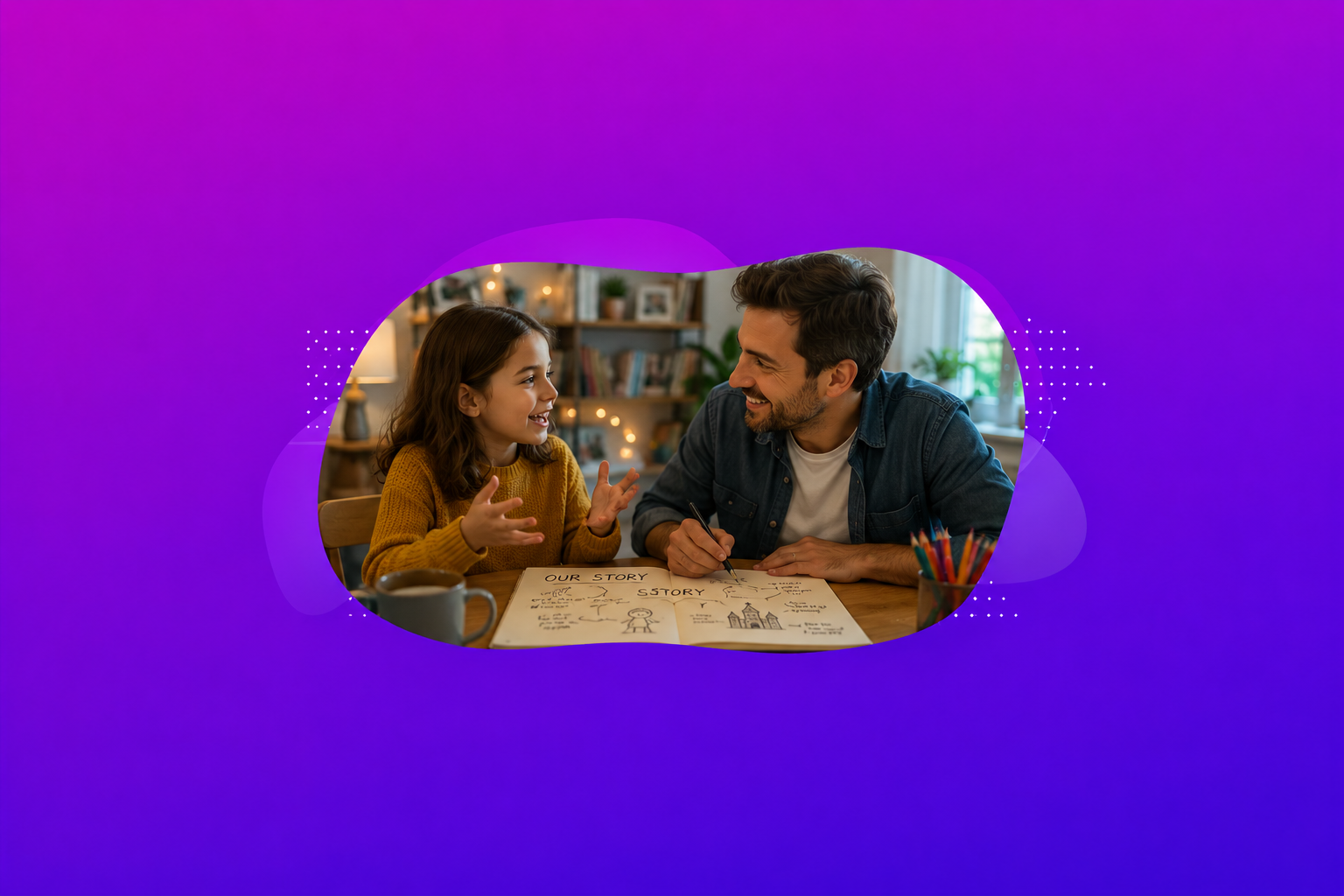
    Collaborative storytelling is when a child and another person — a parent, sibling, teacher, or friend — build a story together, taking turns adding characters, choices, and plot twists. Unlike being read to, the child is a co-author. They decide what happens next, and someone else responds to it.

    That last part is the whole thing. And it is doing more work than most parents realize.

    Why “collaborative” is the part that matters

    Ask a seven-year-old to make up a story alone and you will usually get about four sentences. A dragon appears. The dragon is big. Someone fights the dragon. The end.

    Now sit down and build it with them. Ask why the dragon came. Ask what the dragon is afraid of. Suddenly the story has a reason, a problem, and a shape — and your child is generating almost all of it. You did not supply the ideas. You supplied the questions that made room for the ideas.

    Solo storytelling vs. building a story together

    Solo storytelling asks a child to invent and structure and narrate, all at once. That is a heavy cognitive load, and most kids under ten cope by keeping it short and safe.

    Collaborative storytelling splits the job. Your child brings the imagination. You quietly hold the structure — “wait, what happened to the sister?” — and hand it back. They get to be more inventive precisely because they are not carrying the whole thing alone.

    The scaffolding effect

    Educators have a word for this: scaffolding. You provide just enough support that the child can operate slightly above their independent ability, then you gradually remove it.

    It is the same principle behind dialogic reading, where instead of reading at a child, the adult asks open questions and expands on what the child says. The child does more of the talking. The adult does more of the listening.

    This is also why storytelling works best as something you do with your kid rather than something you hand them. It is the same logic behind games you can play with your kid, not just watch them play — the adult presence is not supervision, it is participation.

    What the research actually shows — and what it doesn’t

    Here is where most parenting articles start overclaiming. So let us be careful, because the honest picture is still a good one.

    The strong evidence: narrative skills and later reading

    There is solid, repeated evidence that children’s narrative skills — their ability to construct and follow a story — are a meaningful predictor of later reading comprehension and academic outcomes. This shows up consistently in the early-literacy literature, and it holds across multiple longitudinal studies.

    Alongside it, dialogic and interactive reading interventions — the adult-asks, child-answers, adult-expands pattern — have been shown to improve children’s vocabulary, listening comprehension, and the structure of the stories they tell. That is a real, well-replicated finding.

    The honest caveat: correlation is not causation

    Now the part nobody puts in the headline. Researchers who have looked closely note that while the correlation between story construction ability and literacy is moderate-to-strong, the causal evidence — that doing more shared storytelling makes kids better readers — is thinner than the enthusiasm around it suggests.

    So no, we cannot honestly tell you that twenty minutes of making up dragon stories will raise your child’s reading level. What we can say is that storytelling together builds the exact skills — sequencing, cause and effect, character motivation, vocabulary in context — that strong readers rely on, and that it is a well-supported way to spend the time.

    That is a less exciting claim. It is also a true one.

    Where pediatric guidance lands

    The American Academy of Pediatrics has steadily moved away from framing children’s media as a stopwatch problem. Its guidance now emphasizes quality, context, and conversation over raw time limits, and consistently highlights the value of caregivers engaging with children around media rather than leaving them to it alone.

    The practical translation for parents: an hour of building a story with your child is not the same category of thing as an hour of scrolling, even if the clock says otherwise. What matters is whether there is a person on the other side of the activity.

    Five ways to build a story together tonight

    None of these need materials, preparation, or a screen.

    1. “And then it got worse.”
    Your child starts a story. Every time they pause, you say: “and then it got worse.” Their job is to escalate. This teaches rising action, and children find it hilarious.

    2. The one-sentence relay.
    Strict turn-taking, one sentence each. You cannot skip your turn and you cannot undo theirs. The constraint is what makes it work — your child has to build on something they did not choose.

    3. Interview the character.
    Before any plot happens, your child invents a character. Then you interview them, in role. What are you scared of? What is in your pocket? Who are you looking for? A character with a want is a story engine. A character without one is a drawing.

    4. The wrong ending.
    Retell a story they already know — but you deliberately get the ending wrong. They will correct you, loudly. Then ask them what ending they would have written instead.

    5. Three objects.
    Grab three random things from around the room. The story must include all three. Constraints do not limit creativity in kids; they give it somewhere to push against.

    What this looks like at different ages

    Ages 6–7

    • What they can do: Strong on invention, weak on structure. Stories jump around and often stop rather than end.
    • Your role: Hold the thread. Gently remind them of things they introduced and forgot.
    • A prompt that works: “Wait — what happened to the rabbit from before?”

    Ages 8–9

    • What they can do: Beginning to grasp cause and effect. They can sustain a plot but tend to resolve conflict instantly.
    • Your role: Slow down the resolution. Make the problem harder before it gets solved.
    • A prompt that works: “That was almost too easy. What could go wrong now?”

    Ages 10–12

    • What they can do: Genuine character motivation, subplots, and an emerging sense of tone.
    • Your role: Step back. Become an audience member and a challenger, not a co-author.
    • A prompt that works: “Why would she do that, though? What does she actually want?”

    Common mistakes parents make

    Taking over. The most common failure. You have a better idea, you say it, and the story becomes yours. Children notice immediately and disengage. If you find yourself supplying more than a third of the ideas, stop talking and ask a question instead.

    Correcting the logic. Yes, the dragon cannot be underwater and also on the mountain. Let it go. Internal consistency is a skill children develop by noticing the problem themselves, not by having it pointed out.

    Reaching for a screen as a substitute for presence. Digital tools can genuinely support collaborative storytelling — there are tabletop games like Rory’s Story Cubes and Once Upon a Time, and online options like Storybird or Mysh that are built around a child and an adult creating something jointly rather than the child playing alone. But the tool is not the point. The other person is the point. Anything designed to hold your child’s attention instead of yours — which is most ad-supported kids’ games — is working against you, not with you.

    Asking for “a story” cold. It is a blank-page request, and it intimidates children the same way it intimidates adults. Give them a character, an object, or a problem. Never an empty page.

    The short version

    Building stories with your child is not a shortcut to better grades, and anyone promising that is overselling it. What it is: one of the few activities where your child does the creative work, you do the listening, and the skills that get exercised — sequencing, empathy, cause and effect, language under pressure — are the same ones that show up years later in how well they read and how clearly they think.

    It also costs nothing and works in a car.

    If you are looking for structured ways to do this — tabletop, screen-free, or online — start with our full guide to storytelling games for kids.


    Frequently asked questions

    What age can kids start collaborative storytelling?
    Around four, if you are doing most of the structural work. By six or seven, most children can hold a simple plot with an adult prompting them. There is no ceiling — the activity just changes shape as they get older.

    Is collaborative storytelling the same as reading together?
    No, and the difference matters. Reading together means following someone else’s story. Collaborative storytelling means generating one. Reading builds comprehension; storytelling builds construction. Both are worth doing, and dialogic reading — where you ask open questions instead of just reading the words — sits usefully in between.

    Does my child need to be a good writer for this to work?
    Not at all. Almost all collaborative storytelling with children under ten should be spoken, not written. Writing introduces spelling anxiety and slows everything down. Talk first. Write later, if ever.

    My child says they have no ideas. What do I do?
    That is nearly always a blank-page problem, not an imagination problem. Do not ask for a story. Hand them a constraint: three objects, a character with a strange job, or a first line. Ideas arrive when there is something to push against.

    Can screen-based games count as collaborative storytelling?
    They can, if an adult is actually participating rather than supervising. The test is simple: are you contributing to the story, or are you watching your child play? If it is the second one, the tool is not doing what you hoped.

    How long should a session be?
    Ten to fifteen minutes is plenty, and stopping while your child still wants to continue is a feature, not a failure. Momentum matters more than duration.

  • Free Online Family Games to Play Together

    Free Online Family Games to Play Together

    Disclosure: This guide is published by Mysh, and Mysh is one of the games below — we’ve put it first where we think it’s the right answer, and told you where it isn’t. Plenty of what’s here we had nothing to do with, and the warning about “free” games near the end applies to us as much as to anyone.


    The best free online family games are the ones you can start in under two minutes, on whatever device is already open, with nothing to install. Sort by the time you actually have: fifteen minutes wants a quick classic like Connect 4 or chess, an hour wants something you build together — a drawing game, or a storytelling game like Mysh.


    You’re not searching this because you’re researching childhood development. You’re searching it because it’s raining, or the flight’s delayed, or the tablet has been on for ninety minutes and you’d rather be in it than fighting about it.

    So, the thing worth knowing before the list: most of these games are filler, and that’s completely fine. Twenty minutes of Battleship will not change your child’s life. Twenty minutes of your undivided attention might. The game is just the excuse to sit next to each other.

    Which means the right game is nearly always the one you’ll actually start — not the one with the best write-up. Pick by the time you have and go.


    Best for — start here

    • Story energy, and a kid who likes making things → Mysh
    • Fifteen minutes, two of you, same couch → Connect 4 on Papergames.io
    • They’ve never played chess → Lichess. Free, no ads, nonprofit.
    • Competitive energy → Connect 4, Battleship, chess
    • Creative energy → Skribbl.io, Gartic Phone, Minecraft Creative
    • Four or more people, want laughing → Gartic Phone, private room
    • A long rainy afternoon → Minecraft Creative, or Mysh if they’d rather write than build
    • Their reading is behind and most games assume it isn’t → anything visual — Connect 4, chess, Skribbl.io — or Mysh, which reads aloud
    • Grandparents on a video call → Jackbox, or a scavenger hunt for zero setup

    Our pick for story play: Mysh. We made it, so treat that accordingly — but it’s the one game here where your child writes the story rather than picking from options, it reads aloud for slower readers, and there’s no chat, no ads, and nothing to buy. Free in the browser at playmysh.com. It’s also slow and same-couch only, so if your kid wants fast and competitive, start with Connect 4 instead.


    First: same room, or different houses?

    Every other guide mixes these up, and they aren’t the same problem.

    Same room — you and your child on one couch, one or two devices. You want something quick to start, easy to explain, and playable on a phone.

    Different houses — a grandparent across the country, a co-parent, cousins. Now you need something that survives a video call, tolerates lag, and handles more people.

    Most of this page is the first situation. There’s a section near the bottom for the second.


    Quick comparison

    GamePlayersAgeTimeWherePlay styleCostAdsSign-up
    Papergames.io (Connect 4, Battleship)25+5–10 minEitherCompetitiveFreeYesNone
    Lichess (chess)28+10–40 minEitherCompetitiveFreeNoneNone
    Skribbl.io (draw & guess)2–126+15 minEitherCreativeFreeYesNone
    Gartic Phone (drawing telephone)4+7+20 minEitherCreativeFreeYesNone
    Codenames online4+10+20 minEitherCompetitive, teamFreeMinimalNone
    Mysh (storytelling)1–28–1120–30 minSame device onlyStoryFreeNoneEmail code
    Jackbox Party Pack2–810+30+ minVideo callCompetitive, sillyPaidNoneNone to join
    Minecraft (Creative)1+8+HoursEitherCreativePaidMarketplaceAccount
    Charades / Mad Libs / scavenger hunts2+4+10–20 minVideo callSilly, activeFreeNoneNone

    Every game here runs in a browser except Minecraft. Free browser games are usually ad-supported — that’s the trade. Ages are a rough guide, not a rating.


    Fifteen minutes

    Two players, instant, no explanation needed. Open a tab and go.

    Connect 4, Battleship, Gomoku (Papergames.io) — The classics, digitized properly. Play as a guest, send your kid a link, done. Connect 4 in particular is deceptively competitive and will start an argument, which is most of the appeal.

    Chess (Lichess) — Worth singling out. Lichess is run by a nonprofit and is genuinely free with no ads at all, which is nearly unique in this space. If your child is eight or older and has never tried chess, this is the single best twenty minutes on this page.

    Boggle-style word grids — Both players see the same grid and race to find words. Quietly builds spelling and pattern recognition without announcing it.

    Dominoes, Yahtzee, Mancala — All free in-browser. Yahtzee is a sneaky introduction to probability. Mancala is one of the oldest games in the world and takes ninety seconds to teach.

    These are filler, and they’re excellent filler. Don’t ask them to be more than that.


    An hour or more

    Now you can do something with a bit of build to it.

    Mysh — A storytelling game. Your child types who their character is — a dragon detective, a robot baker, their little sister — and then, each turn, types what that character does or says next. The story responds to what they wrote. Not a menu of choices; they’re writing it.

    It reads aloud, so a slow reader can play, and it waits for them instead of running on a timer. Stories save in chapters, so one can carry across weeks. No chat, no strangers, and the whole story is saved, so you can read every word afterwards. Free at playmysh.com — nothing to install, no password, just a code sent to your email.

    It’s slow, though. If your kid wants fast and competitive, they’ll be bored — this is the opposite of Connect 4. Ages 8–11, and together means the same couch, one device, taking turns.

    Skribbl.io — Draw and guess. Chaotic, funny, works with any number of people. The best pick here for a mixed-age group, because a bad drawing is funny at every age.

    Gartic Phone — Drawing meets broken telephone: a sentence becomes a drawing becomes a sentence, and by round six it’s nonsense. Four or more players and the room will be laughing. Use a private room — with random players online, the prompts get inappropriate fast.

    Minecraft (Creative Mode) — Not free, not a quick start, but if you’re stuck inside all Saturday anyway, building something together on a private world beats most things here. Creative Mode skips the survival grind and the Marketplace upsells.


    When you’re not in the same house

    Different problem, different games. Skip this if you’re on the same couch — and note that Mysh doesn’t work here, since it’s one device, taking turns.

    Jackbox Party Pack — One person buys and hosts; everyone else joins with a phone and a room code. No app, no purchase for the other players. The most reliable option for a video call with more than three people. Check the rating per pack — some are decidedly not for kids.

    Charades, Mad Libs, scavenger hunts — Zero technology beyond the call itself. “Find something blue, go!” works remarkably well with grandparents and needs no setup at all.

    Codenames online — Free, and being team-based means a younger child can sit with an adult rather than being outmatched.

    Common Sense Media keeps a maintained list of games kids can play from a distance, with age ratings.


    A warning about “free” — read this before you Google anything else

    The phrase free online games for kids leads somewhere genuinely bad, and no other guide will tell you this.

    Watch for:

    • Ad density. Some portals run a video ad between every level. Your child sits through more advertising than gameplay.
    • “Free” that isn’t. Free to open, then gated behind coins, gems, lives, or a timer only a purchase removes.
    • Slot machines in a cartoon coat. Loot boxes, spin wheels, “one free spin a day.” These are gambling mechanics, and children are precisely who they work on.
    • Data collection. Children’s services face real restrictions under the updated FTC rule — but enforcement lags, and plenty of sites are non-compliant.

    Check it in ninety seconds: open the game yourself first. Count the ads in the first two minutes. Find the privacy policy — if you can’t, close the tab. Search the name plus “Common Sense Media” before you hand it over.

    The two games above with no ads at all are a nonprofit and a free product with no purchases. If a free game shows no ads and sells nothing, ask how it sustains itself and go read the privacy policy — ours included.


    Four things that make it work

    1. Play badly on purpose. Make an obviously terrible move. Kids find this hilarious, and it gives them permission to take risks instead of playing safe.
    2. Don’t let them win — handicap yourself openly. “I’ll go without looking.” Fake losing gets spotted by about age seven, and it stings.
    3. Stop while it’s still fun. Two rounds they wanted more of beats six that end in a fight about turning it off.
    4. Put your phone in another room. The single biggest variable in whether any of this works. They know.

    Frequently asked questions

    What are the best free online family games? Depends how much time you have and who’s playing. Fifteen minutes, two of you: Connect 4, Battleship, or chess on Lichess. An hour or more: drawing games like Skribbl.io or Gartic Phone, or a storytelling game like Mysh. For a group across a video call, Jackbox. All free except Jackbox and Minecraft, all in-browser.

    Are there free online family games that don’t need a download? Yes — everything on this page except Minecraft runs in a browser tab with nothing to install. That also means they work on a school Chromebook, where you usually can’t install anything at all.

    What online family games work over a video call? Jackbox Party Pack is the most reliable for groups — one person buys it, everyone else joins with a phone. For zero setup, charades, Mad Libs, and home scavenger hunts work well over Zoom with no technology beyond the call. Codenames online works too, and being team-based lets a younger child sit with an adult.

    What are the best family-friendly games online for mixed ages? Skribbl.io and Gartic Phone, because a bad drawing is funny whether you’re six or forty. Codenames works if you pair younger kids with an adult. Avoid anything reaction-based — a seven-year-old against a teenager isn’t a game, it’s a formality.

    Are free online games for kids safe? Some are; many aren’t. Free kids’ game portals are frequently ad-saturated, and some use gambling-style mechanics like loot boxes and spin wheels. Open any game yourself before your child does, count the ads in the first two minutes, and check a privacy policy exists.

    What can I play online with a 7-year-old? Connect 4, Battleship, and Mancala are all easy to teach at seven. Skribbl.io works because bad drawings are funny at any age. Charades over a video call needs no setup at all.

    What if my child can’t read well yet? Most online games quietly assume reading fluency. Stick to visual ones — Connect 4, Battleship, chess, Skribbl.io — or something that reads aloud. Mysh reads the story to your child and waits for them rather than running on a timer.


    Where to start

    • A long rainy afternoon, a kid who likes making thingsMysh. Free, browser, no ads. Or Minecraft Creative if they’d rather build.
    • Fifteen minutes, two of you → Connect 4 on Papergames.io. Two minutes to start.
    • They’ve never played chessLichess. Free, no ads, nonprofit. Best twenty minutes on this page.
    • Four or more people, want laughing → Gartic Phone, private room.
    • Their reading is behind → anything visual, or Mysh, which reads aloud.
    • Grandparents on a video call → Jackbox, or a scavenger hunt for zero setup.

    Whichever you pick, the game is doing less work than you think. You’re the part that makes it worth playing.

  • Educational French Games Your Kids Will Actually Want to Play

    Educational French Games Your Kids Will Actually Want to Play

    The best educational French games for kids build vocabulary through context — a story, a choice, or real gameplay — rather than isolated flashcards. Strong options range from story-driven games like Mysh, to app-based games like Studycat (ages 2–8), to free browser games like Digital Dialects and French-Games.net, to screen-free classics like Jacques a dit and French Bingo. The right one depends mostly on your child’s age and how much French they already have.

    If you’ve ever watched a kid lose interest in a French flashcard app after three days, you already know the problem: drills feel like homework. Games work because the French becomes a means to an end your child actually cares about — winning, finishing the story, guessing the word first. This guide walks through the best educational French games for kids, how to match one to your child’s level, and a few no-screen options you can play at the kitchen table tonight.

    What Makes a French Game Educational, Not Just Entertaining

    Plenty of games wear an “educational” label and mostly aren’t. A French translation slapped onto the same tap-and-collect mechanics doesn’t teach much. The games that actually move the needle tend to share a few traits:

    • Vocabulary shows up in context, not as an isolated word list. Kids meet a word inside a situation — a story, a picture, a task — which is exactly the condition under which young children retain new words best. Research on early vocabulary learning consistently finds that words encountered in meaningful, active contexts stick better and longer than words drilled in isolation.
    • The child has to read or decide something to keep playing, not just tap through.
    • It’s replayable, so it doesn’t run dry after one session.
    • A parent can join in — even one who isn’t fluent — because shared play is where a lot of the language actually gets used out loud.

    That’s the real line between a French game that teaches and a worksheet with nicer graphics.

    The Best Educational French Games for Kids

    There’s no single “best” game — the right pick depends on your child’s age and starting point. Here are strong options across formats, starting with our pick for immersive, story-driven play and moving through structured apps and free browser games.

    Mysh — A Storytelling Game in French (Our Pick for Immersion)

    Mysh is a free, browser-based collaborative storytelling game where a child (roughly ages 8–11) creates their own character and goes on an original adventure with a parent — and it can be played in French.

    To be clear about what it is: Mysh isn’t a French course or a language-learning app. It’s a storytelling and adventure game, and French is simply one language it’s played in. But that’s exactly why it works as immersion: the child has to read, make choices, and use words to move a story they care about finishing, so vocabulary and reading comprehension build up as a natural part of playing rather than a drill. That makes it our top pick for kids who already have some French and are ready to use it in a real context. (If your child is starting from zero, begin with one of the app or browser picks below and come back to Mysh once they’ve got the basics.) It’s free, ad-free, needs no download, and runs in the browser at playmysh.com.

    Studycat — French for Ages 2–8

    A polished, ad-free app built specifically for young children, with games, songs, and stories that target vocabulary and pronunciation. It’s subscription-based, but the structure and native-French audio make it a solid pick for preschool and early-elementary kids starting from zero. Best for parents who want a guided, “just hand them the tablet” option.

    Digital Dialects (French) — Free Vocabulary Games

    A free browser resource with games covering numbers, colors, days, months, animals, and more, plus audio. There’s nothing flashy about it, but it’s genuinely useful for quick, low-commitment vocabulary practice — and it costs nothing. Good for topping up specific word sets (say, food or the body) before a school unit.

    French-Games.net — Free Games, Lessons, and Tests

    A free site pairing picture-matching games with lessons and quick tests across 100-plus topics, all with audio. It’s aimed at beginners of any age and works well for a kid who’s reinforcing what they’re already doing at school. The matching and spelling games are simple enough for a five-year-old with a bit of adult help.

    Parlini Land — French for Little Ones (Ages 2–6)

    An ad-free app aimed at preschoolers and bilingual families, using native French voices and gentle game mechanics suited to toddlers. A reasonable fit for the youngest learners or families adding French to a bilingual home, where the priority is a safe, calm environment over academic rigor.

    French Board and Card Games (Physical)

    Don’t overlook physical games with French editions or French rules — a simple Memory/matching game, a French-labeled picture lotto, or age-appropriate French card games. These get vocabulary into a child’s hands and mouth without a screen, and they’re easy for the whole family to join.

    French Games at a Glance

    GameBest for (age)FormatCostWhat it builds
    Mysh~8–11BrowserFreeReading comprehension, vocabulary in context
    Studycat2–8AppSubscriptionVocabulary, pronunciation, listening
    Parlini Land2–6AppFreemiumEarly vocabulary, gentle exposure
    Digital Dialects5+BrowserFreeTopic vocabulary, listening
    French-Games.net5+BrowserFreeVocabulary, spelling, comprehension
    Physical card/board games4+OfflineVariesVocabulary, speaking, family interaction

    Costs and age ranges reflect each game’s general model and can change — check the current details before you commit.

    Screen-Free French Games You Can Play Tonight

    Some of the most effective French games need no app at all. These are perfect for a rainy afternoon, a playdate, or winding down after screen time.

    Jacques a dit (French “Simon Says”)

    The classic listening game. One player is Jacques and gives commands — “Jacques a dit, touchez votre tête” (“Jacques says, touch your head”). Players only follow commands that begin with “Jacques a dit.” It’s a painless way to drill body parts, actions, and command forms while everyone’s moving around.

    French Bingo (Loto)

    Make cards with French words or pictures around a theme — animals, numbers, food. Call the words in French; kids mark the match and shout “Bingo!” when they complete a row. Great for word recognition and listening, and it scales to any group size.

    French Charades

    Write French words or short phrases on slips of paper. One player acts one out without speaking while the others guess — in French. Good for older kids and a fun confidence-builder, since it rewards recognizing and producing words under a little friendly pressure.

    Matching the Game to Your Child’s Level

    Not every “French game” search comes from the same place, and the right tool shifts with your child’s starting point.

    • Absolute beginners do best with structured, vocabulary-first tools — app-based games and free browser games that introduce words with pictures and audio. The goal is building a first bank of words with plenty of repetition.
    • Kids with some French benefit most from immersive, context-rich play — stories and decision-based games that ask them to follow along without translating everything back to English. This is where a storytelling game like Mysh fits well. For intermediate learners, sustained reading and decision-making in French can provide useful contextual practice, but Mysh is not a substitute for structured instruction.
    • Bilingual or heritage speakers often just want to play in French. For them, games in French are the point — no learning angle required — and almost any well-made game with a French setting will do.

    How to Choose the Right French Game (Checklist)

    Run a game through these questions before you commit:

    • Does it fit my child’s age and current French level? A game that’s too hard frustrates; too easy bores.
    • Is the French in context, or just a word list? Context wins for retention.
    • Can we play together? Shared play means more language actually gets spoken.
    • Is it safe and ad-free? Especially for younger kids and independent play.
    • Will they come back to it? Replayability beats a one-and-done novelty every time.

    For the 8–11 crowd who already have some French, a story-driven, choice-based game like Mysh is the one most likely to get replayed — and to build the language while they’re at it. For younger kids or true beginners, a structured app or free browser game is usually the better starting point.

    Frequently Asked Questions

    What are the best educational French games for kids? The strongest ones build vocabulary and comprehension through context — a story, a choice, real gameplay — rather than isolated drills. Good options include story-driven games like Mysh, app-based games like Studycat, free browser games like Digital Dialects and French-Games.net, and screen-free classics like Jacques a dit and French Bingo.

    Are there free French games for kids? Yes. Mysh is free to play in the browser with no download and no ads, and Digital Dialects and French-Games.net offer free browser games with audio. Screen-free games like French Bingo and charades cost nothing but a few slips of paper.

    How do games help kids learn French? Games put new words into a context a child cares about — winning, finishing a story, guessing first — which makes those words easier to remember than isolated flashcards. They also add repetition and, often, chances to speak, both of which support language retention.

    What’s the best French game for a bilingual child? Bilingual and heritage speakers usually get the most from immersive, choice-driven games they’d enjoy in any language — story-based games like Mysh and games with a full French setting — rather than beginner vocabulary tools.

    Does Mysh teach French? Not in the sense of a structured course. Mysh is a storytelling and adventure game that can be played in French; kids read, choose, and build a character in French, which develops vocabulary and reading comprehension naturally — but it isn’t designed or marketed as a French-teaching app.

    Are French games good beyond the beginner stage? They stay useful. Once a child has basic vocabulary, context-rich content gives them a chance to actively use the language rather than only recognize it — which is a different kind of practice from drilling, not a faster version of it.

    Start Playing in French

    The best French game for your child is the one they’ll actually come back to. Start with their age and level: a structured app or free browser game for beginners, a screen-free classic for family play, or an immersive storytelling game like Mysh once they’ve got some French under their belt. Pick one, play it together, and let the vocabulary build itself.

  • Why So Many Parents Feel Guilty About Screen Time, and What Actually Helps

    Why So Many Parents Feel Guilty About Screen Time, and What Actually Helps

    If you have ever handed your kid a tablet so you could make dinner, and then felt a small pang of guilt about it five minutes later, you are not alone. You are, in fact, in the majority.
    A new survey of 1,000 U.S. parents found that 84.6 percent of them have felt guilty about their child’s screen time at some point. That number has jumped from 74 percent just the year before, which is a 14 percent rise in guilt in a single year.

    The numbers behind the guilt

    The data comes from Lingokids, a children’s education company that has been tracking screen time habits for a decade. Their newest report surveyed parents of kids between 2 and 8 years old, and a few things stood out.

    Almost every parent allows some screen time. We are talking 98 percent. Of those, 44 percent allow more than two hours a day. So nearly everyone is doing it, and yet the guilt keeps climbing anyway.

    And it is not really about the screens themselves. When researchers asked parents what worried them most, the top concern by a wide margin was the content their kids were seeing, not the number of hours. Nearly half of parents pointed to inappropriate content as the main reason they felt bad, and more than half said they genuinely believe almost anything can end up on a kids’ platform these days.

    “The problem isn’t the screens. It’s the content. Parents don’t trust that their kids’ screen time is quality time.” – Dr. Diana Barrett, Clinical Psychiatrist, quoted in the Lingokids 2026 report


    This is not just one company’s data

    It would be easy to read those numbers and assume they are a single survey from a single company with something to sell. So it is worth checking whether other research says the same thing, and it largely does.

    A separate study from Reviews.com found that just over half of American parents feel guilty about their kids’ screen time, with mothers and fathers reporting it in roughly equal numbers. Researchers there pointed to the same underlying issue: parents are not sure the time their kids spend on screens is actually good time.

    Lurie Children’s Hospital in Chicago found something similar in their own research, with three in five parents reporting guilt, and the most common reasons being too much time, using screens as a built-in babysitter, and feeling like family time was getting pushed out. Their pediatrician, Dr. Alyssa Cohen, suggested something simple: designate a few screen-free zones or times, like mealtimes, rather than trying to police every minute.

    And this guilt is not just a feeling that fades. A peer-reviewed study published in the Journal of Media Psychology followed hundreds of parents over time and found that the guilt itself, not just the screen time, was linked to higher parental stress and a weaker relationship with their kids. In other words, feeling bad about screen time can do more damage than the screen time itself.


    So what actually helps

    If the guilt is mostly about content rather than time, then the fix is not necessarily fewer screens. It is better screens.

    Across the research, a few things kept coming up as genuinely useful, not just nice in theory.

    Co-using rather than handing off. The Lingokids report found that two thirds of parents say they bond with their kids over screen time, and that number climbs when a parent is actually present and participating rather than just supervising from a distance. One parent in the survey described using an educational app with her daughter and ending up learning something herself in the process, which is a pretty good sign that the time was not wasted.

    Designating specific zones or times. Lurie Children’s recommendation of screen-free mealtimes is a small, doable change rather than an all-or-nothing rule, and it tends to actually stick.

    Choosing curated over open-ended. Parents in the Lingokids survey said they were far more likely to grant extra screen time on platforms they trusted to be properly curated, places where they were not worried about what might show up next. Open platforms with user-generated content scored much lower on trust across the board.

    Letting go of the guilt itself. This is the part the research keeps circling back to. The Journal of Media Psychology study found that the stress from guilt was sometimes worse for the parent-child relationship than the screen time itself. Feeling like a bad parent for handing over a tablet during a chaotic Tuesday evening does not actually make anyone a better parent. It just makes the evening worse.

    “Quality time with family helps children thrive. We recommend that families designate screen-free times of day or areas of the home, such as mealtime, to promote uninterrupted connection.” – Dr. Alyssa Cohen, pediatrician, Lurie Children’s Hospital


    Why this matters to us at Mysh

    We did not set out to build another thing for parents to feel guilty about. We built Mysh because we wanted screen time to be something a family does together, not something one person allows so the other can get a break.

    That does not mean co-play is the only way to use it. Some nights you genuinely need twenty minutes to make dinner, and that is fine. But when you do sit down with your kid, even for ten minutes, we wanted that time to feel like it counted. No ads interrupting the moment. No strangers in the mix. No purchase prompts trying to get your kid to ask you for something. Just a story you are building together.

    The data backs up something most parents already feel in their gut: it is not the screen that is the problem. It is whether the time spent on it feels worth it afterward.

    Sources cited in this article

    Lingokids, Kids Interactive Entertainment Report 2026 (lingokids.com)

    Reviews.com, study on U.S. parental screen time guilt (reviews.com)

    Lurie Children’s Hospital, screen time statistics and pediatrician commentary (luriechildrens.org)

    Peer-reviewed study on parental screen guilt and relationship satisfaction, Journal of Media Psychology (tandfonline.com)

  • 10 Best Minecraft Alternatives for Kids (Safe, Creative Picks for 2026)

    10 Best Minecraft Alternatives for Kids (Safe, Creative Picks for 2026)

    Quick answer: The best Minecraft alternative for a child depends on what they value most — building, story, combat, co-play, or a closed social environment. Compare those trade-offs first, then decide whether Mysh or another option is the better fit. For kids around 8 to 11, the strongest picks are Mysh for story and characters, Luanti (formerly Minetest) or LEGO Builder’s Journey for building, Terraria or Stardew Valley for exploration, and Scratch if the building instinct is really an engineering one. If your child mainly loves building, Minecraft’s own Creative mode with multiplayer switched off may still be the simplest fix.

    If you’re here, you probably don’t hate Minecraft. Most parents don’t. The blocky zombies aren’t the problem. What tends to wear families down is everything around the edges: who your kid is talking to on a server you’ve never heard of, the fact that there’s no natural moment to stop, and the small charges that show up on your card because a payment method was saved on the tablet.

    This guide covers what those concerns actually are, what to look for in an alternative, and ten games worth considering for kids roughly 8 to 11 — grouped by what your child actually loves about Minecraft, because “alternative” means something different for a builder than it does for an adventurer.


    What parents are actually worried about with Minecraft

    Minecraft is rated E10+ by the ESRB and PEGI 7 in Europe, and most safety reviewers describe the violence as cartoonish — creatures vanish when defeated, there’s no blood, and combat is closer to a Saturday-morning cartoon than anything realistic.

    So the friction usually isn’t the game itself. Across safety guidance from the ESRB, Common Sense Media, Internet Matters and others, four themes come up again and again.

    1. Multiplayer chat and unmoderated servers

    This is consistently the biggest one. Minecraft’s public and private servers can include open text chat, and independent server owners set their own rules — Microsoft and Mojang don’t moderate every third-party server. That means a child can end up talking with people no parent has approved. Most safety guides recommend keeping multiplayer off entirely for younger children, and using invite-only realms with real-life friends for older ones.

    2. No natural stopping point

    Minecraft is an open world with no levels and no ending. That’s genuinely part of its appeal — but it also means there’s no built-in moment where a session feels complete. If bedtime in your house involves a nightly negotiation, this is usually why. Games with defined sessions, chapters, or story endings tend to make “okay, that’s it for tonight” a much shorter conversation.

    3. In-game purchases

    The Bedrock edition includes a Marketplace that runs on Minecoins, a virtual currency bought with real money. Purchases are generally final, and if a payment method is saved on the device, a child can spend without fully understanding what they’ve done. EU consumer authorities have raised concerns about how in-game currencies like this are designed and presented to children.

    4. Griefing and online conflict

    On open servers, other players can destroy something your child spent hours building — the community calls this griefing. For some kids this lands harder than any in-game monster, because it’s a real social conflict rather than a fictional one.

    Practical note before you switch games: many of these are fixable inside Minecraft. Creative mode with multiplayer disabled, a local single-player world, removing the saved payment method from the device, and turning on parental controls through a Microsoft Family account solve a large share of the problem. Switching games is worth it when the shape of the play is the issue — the endlessness, the solo-in-a-room-for-three-hours pattern — not just the settings.


    What to look for in a Minecraft alternative

    When you’re comparing options, five things matter more than graphics:

    • Chat design. No chat at all, chat limited to approved friends, or fully open? This is the single biggest safety variable.
    • Spending model. Free with no purchases, one-time paid, or free-to-play with a currency? Free-to-play with a currency needs the most supervision.
    • Session shape. Does the game have levels, chapters, or a natural ending — or does it run forever?
    • Creative ceiling. Can your child make something they’re proud of, or is it a guided experience with limited output?
    • Whether you can play together. Games that invite a parent in tend to produce far less screen-time conflict than games that don’t.

    Comparison: 10 Minecraft alternatives at a glance

    GameBest forAgesBuilding depthStoryChat with strangersPurchasesCo-playDeviceNatural stopping point
    MyshAdventure and characters8–11NoneCore — the child writes itNoneNoneDesigned for itAny browserYes — stories end
    Toca Boca WorldOpen-ended pretend play5–9Light decoratingPlayer-invented, unsavedNonePaid add-on packsEasyAppNo
    LEGO Builder’s JourneyCalm, structured building7+Puzzle-based, guidedLight, wordlessNoneOne-time purchaseEasyDownloadYes — levels
    Minecraft Creative (offline)Pure building7+Deepest hereNoneNone if offlineAlready ownedEasyDownload or consoleNo
    Luanti (Minetest)Free Minecraft-style sandbox9–12Deep, mod-extensibleNonePublic servers onlyNone — open sourceModerateDownload (PC)No
    TerrariaExploration and combat10+Deep, 2DLight progressionMultiplayer onlyOne-time purchaseModerateDownload or consoleNo
    Stardew ValleySlower, goal-led sandbox9+Moderate — farm and homeStrong, character-drivenMultiplayer onlyOne-time purchaseEasy — co-opDownload or consoleSoft — daily cycle
    Animal CrossingGentle creativity7+Moderate — island designLight, ambientLimited; controls availableOne-time purchaseEasyNintendo SwitchSoft — daily cycle
    ScratchMaking things others play8–12Systems, not blocksPlayer-builtModerated commentsNone — nonprofitModerateAny browserYes — projects
    Roblox (locked down)Breadth and friends9–12Deep, variesVaries by experienceYes, unless restrictedRobux currencyModerateApp or browserNo

    Ages shown are each product’s own published rating, not our recommendation — which is why some sit outside the 8–11 range this guide is written for. Cost models, ratings, and features change, so check current details before buying.


    Calmer picks: story, pretend play, and guided building

    These suit the younger end of 8 to 11, or a child who finds an open sandbox overwhelming rather than exciting.

    Mysh — best for kids who love the adventure, not the architecture

    What it is: A free, browser-based collaborative storytelling game where kids build characters and go on story adventures with a parent or family member. Nothing to download, no Microsoft or Xbox account.

    Why it works as an alternative: Mysh isn’t trying to be a better block-builder. It’s built around a different shape of play. Adventures happen inside a closed family group, so there’s no open chat with strangers and no public servers. Because each adventure is a story with a beginning and an end, there’s a natural stopping point built into the format — which is often the real reason parents go looking for something else. There’s no in-game currency, so no marketplace and no surprise charges.

    Best for: Children who love inventing characters, naming things, and going somewhere in Minecraft — rather than the block-by-block construction.

    Honest limitation: If your child’s actual passion is engineering redstone contraptions or building a scale replica of your house, Mysh won’t scratch that. That’s a building interest, and Minecraft’s own Creative mode or Luanti serves it better. Minecraft remains the deepest open-ended builder available, and nothing on this list replaces it on that specific measure.

    Toca Boca World — best for open-ended imaginative play

    A digital dollhouse-style sandbox where kids design characters, decorate spaces, and invent everyday scenarios. No chat, no competition, no fail states. The base app is free with paid add-on packs, which is worth knowing before you hand over the tablet. Honest note: this one skews younger than the rest of the list — it lands best around 8, and many nine- and ten-year-olds will have outgrown it. It also has no natural ending, so you’ll still want a timer.

    LEGO Builder’s Journey — best for calm, structured building

    A quiet puzzle game built from LEGO bricks, with levels and a defined arc. Because it’s level-based, sessions end on their own. It’s a one-time purchase with no in-game spending and no online interaction at all. It’s more puzzle than free-build, so a child who wants unlimited creative freedom may find it narrow.


    Deeper picks: sandbox, exploration, and making

    These suit a child at the older end of 8 to 11, or one who’s already comfortable with Minecraft’s depth and wants something equally open.

    Luanti (formerly Minetest) — best free Minecraft-style sandbox

    An open-source voxel sandbox that looks and plays close to Minecraft, with community-made mods and games. It’s free, and if you play single-player or on a private local server there’s no contact with strangers. The trade-off: it’s rougher around the edges than Minecraft and setup takes a bit more parental effort.

    Terraria — best for exploration and combat

    Often described as a 2D Minecraft, Terraria leans harder into exploration, crafting, and boss fights. It’s a one-time purchase with no in-game currency. It’s more combat-heavy than Minecraft, so it suits older kids, and multiplayer should be limited to people you know.

    Stardew Valley — best for a slower, goal-oriented sandbox

    Farming, fishing, mining, and building relationships in a small town. The in-game day cycle gives sessions a soft natural ending, which is genuinely useful at bedtime. One-time purchase, no microtransactions, and co-op means you can play alongside your child.

    Animal Crossing: New Horizons — best for gentle creativity

    Island design, decorating, and a real-time daily rhythm that discourages marathon sessions by design. Online play requires an active choice and Nintendo’s parental controls can restrict it. Requires a Switch, so it’s the highest-cost option here.

    Scratch — best if the building instinct is really an engineering instinct

    A free coding platform from MIT where kids build their own games and animations. If your child is the one automating farms with redstone, Scratch redirects that same instinct into something that transfers directly to real skills. There’s a public sharing community with comments, which is moderated but not chat-free, so it’s worth reviewing the account settings together.

    Roblox — only with the settings locked down

    Worth naming honestly, because many parents end up here. Roblox has enormous creative range, but it’s free-to-play with a currency (Robux) and chat is on by default. It can be made reasonably safe with account restrictions, chat limits, and spending controls — but it requires the most active parental management of anything on this list.


    How to switch games without a meltdown

    Changing games is a transition, not a settings change. A few things that tend to help:

    • Don’t frame it as a punishment. “Minecraft is bad” invites an argument. “I found something I think you’d like — want to try it with me?” doesn’t.
    • Play the first session together. Almost every alternative on this list lands better when a parent is in the room for the first twenty minutes.
    • Ask what they actually love. The answer is usually one of three things: building, exploring, or being with friends. Match the replacement to the answer, not to Minecraft as a whole.
    • Keep Minecraft around, reshaped. Creative mode, offline, no payment method saved. Removing a game entirely raises the stakes; changing how it’s played usually doesn’t.

    Getting started with Mysh

    If the adventure-and-characters side is what your child is drawn to, Mysh is free to try and runs in the browser — no download, no Xbox or Microsoft account. Visit playmysh.com, set up a family profile, build a character together, and start your first story. Most families are playing within a few minutes.


    Frequently asked questions

    What is the best Minecraft alternative for kids? It depends on what your child loves about Minecraft. For story and character-driven play, Mysh is a strong free, browser-based option with no chat and no purchases. For open-world building, Luanti (formerly Minetest) is the closest free equivalent. For structured, calm play, LEGO Builder’s Journey works well.

    Is Minecraft too violent for young kids? Most reviewers consider Minecraft’s violence mild and cartoonish, with no blood or gore. For younger children, the more common concerns are multiplayer chat, in-game purchases, and the lack of a natural stopping point — not the combat.

    What is a safe alternative to Minecraft with no chat? Mysh, Toca Boca World, and LEGO Builder’s Journey have no open chat with strangers. Minecraft itself can also be played offline in single-player Creative mode, which removes chat entirely.

    Is there a free Minecraft alternative? Yes. Luanti (formerly Minetest) is a free, open-source voxel sandbox. Mysh is free and runs in the browser. Scratch is free and better suited to kids who like building systems. Roblox is free to download but includes a purchasable currency.

    Why does my kid not want to stop playing Minecraft? Minecraft is an open world with no levels or ending, so there’s no built-in point where a session feels finished. Games structured around levels, chapters, or stories — or with an in-game day cycle — give kids a natural place to stop.

    Can my child spend money on Minecraft without me knowing? It’s possible. Minecraft’s Bedrock edition includes a Marketplace that uses Minecoins, and if a payment method is saved on the device, purchases can go through easily. Removing the saved payment method and enabling purchase approval through a Microsoft Family account prevents this.

    What age is Minecraft appropriate for? Minecraft is rated E10+ by the ESRB and PEGI 7 in Europe. Many younger children play it, often introduced by an older sibling. Most safety guides suggest Creative mode with multiplayer disabled for children under 8.

    Is Mysh similar to Minecraft? It shares the creativity and imagination, but not the format. Instead of building and surviving in an open world, kids create characters and go on story adventures with a parent. It suits kids drawn to the adventure side of Minecraft more than the construction side.

    Do these alternatives require a download? Not all of them. Mysh and Scratch run in a browser. Luanti, Terraria, Stardew Valley, and LEGO Builder’s Journey require an install, and Animal Crossing requires a Nintendo Switch.

  • Best Apps for Kids to Improve Vocabulary in 2026

    Best Apps for Kids to Improve Vocabulary in 2026

    Who’s writing this: This guide is published by Mysh, which is one of the eight options below. It’s ordered by age, not by preference. Mysh’s limitations are spelled out like everyone else’s — including the one that rules it out for a lot of families. Several tools here will serve your child better than ours. The last section tells you which.


    The best apps for kids to improve vocabulary teach words in context rather than through flashcards — and, more importantly, are ones your child will still open in three weeks. Retention beats word count. A tool with 5,000 words your child abandons on day nine teaches fewer words than a game with 500 they actually play.


    Let’s start with the thing the other guides won’t say.

    Nothing on this list works as well as reading aloud with your child. Twenty minutes of a book pitched slightly above what they can read alone, with you there to explain the word when they hit it, beats every option in this article. That isn’t false modesty. It’s what the evidence supports, and it costs nothing.

    So why write the list?

    Because “read together more” is advice that does not survive a Tuesday with a work deadline and a child who does not want to. Something that gets used is worth more than a book that stays shut. The realistic goal was never to replace reading — it’s to find something that stacks on top of it and survives contact with an actual week.

    That’s the lens for everything below.


    Quick comparison

    ToolAgesHow it teachesPlatformCost
    Khan Academy Kids2–8Mixed early literacyAppFree
    Epic!2–12Reading libraryApp + browserFree tier / sub
    Endless Alphabet3–7Animated definitionsAppOne-time
    Night Zookeeper6–12Story writing + tutor feedbackBrowser + appSubscription
    Wordly Wise6–14Structured curriculumBrowserSubscription
    Mysh7–12Storytelling — the child writesBrowser only — no downloadFree
    Word Tag8–12Game + spaced repetitionAppSubscription
    Vocabulary.com11+Adaptive drillBrowser + appFree tier / sub

    Pricing and platform availability change constantly — verify before you commit. Cross-check age ratings at Common Sense Media.


    First: do you actually want another app?

    Worth asking before you download anything, and almost nobody does.

    Every app is a small ongoing tax. Storage on an iPad three children share. An Ask-to-Buy approval every time something updates. A fourth icon that gets ignored by week three. Exposure to in-app purchases through a store you’ve already had one argument about.

    And there’s a practical one that catches parents out: a school-issued Chromebook usually can’t install apps at all. If your child does homework on one, an app is simply not an option, no matter how good it is.

    Some of the best tools here run in a browser and need nothing installed — Wordly Wise, Vocabulary.com, Night Zookeeper (which works fully on a laptop), and Mysh, which has no app version at all. If your household is at app saturation, start there.

    None of this makes browser-based better. It just makes it worth checking first, because it’s the constraint most parents discover after they’ve already paid.


    Drill or context: the choice that decides whether words stick

    Vocabulary tools split into two camps, and the difference matters more than any feature list.

    Drill teaches the word directly. Flashcards, matching, spelling, quizzes. Your child sees enormous, learns it means very big, gets tested. Efficient, measurable, easy to build. It works — for Friday’s test.

    Context puts the word inside something your child cares about. They meet reluctant because a character in the story is reluctant to open a door. The word arrives with a situation already attached to it.

    Context wins on retention, and the reason is simple. A word learned as a definition gets filed as trivia. A word learned inside a story gets filed with a hook. Ask a child what reluctant means: the drill kid recites the definition. The context kid tells you about the door.

    Drill isn’t useless. It’s the right tool for a spelling test next week, or for closing a specific measured gap fast. But if what you want is a child who reaches for better words — unprompted, in their own writing, at the dinner table — context is what gets you there.

    Three of the eight aren’t drill at all: Epic!, Night Zookeeper, and Mysh.


    The failure mode nobody in this category will name

    Here’s what actually happens. It isn’t in anyone’s feature comparison.

    Week one. Your child loves it. Novelty, streaks, badges. You feel good about the subscription.
    Week two. Enthusiasm dips. They need reminding.
    Week three. It’s become a thing you nag about.
    Week four. It’s a chore — and now vocabulary practice is associated with being nagged, which is a worse position than the one you started in.

    Something still open in week twelve is worth ten things that were brilliant for nine days.

    So before you compare a single feature, answer one question honestly:

    What actually motivates this particular child?

    • Scoreboards, streaks, beating a number → game-based drill will click (Word Tag, Vocabulary.com)
    • Stories, characters, making things → drill will bore them into quitting; they need context (Night Zookeeper, Epic!, Mysh)
    • Structure and visible progress → a curriculum works (Wordly Wise)
    • They can’t read well enough to use most of these → the reading itself is the barrier. Look for something that reads aloud (Mysh, or Epic!’s audiobooks) rather than something that assumes fluency your child doesn’t have yet
    • Honestly, nothing on a screen → believe them. Read aloud. It’s the better intervention anyway.

    The most common mistake here isn’t buying a bad app. It’s buying the one with the best reviews instead of the one that fits the child in front of you.


    The eight options

    Ordered by youngest recommended age. Deliberately not ranked — the right one depends on your kid, not on a score I assigned.

    Khan Academy Kids · ages 2–8

    App · Free · No ads · No in-app purchases

    The most genuinely free thing here, from a nonprofit, with no monetization at all — no upsell tier, no ads, nothing. Vocabulary lives inside reading, phonics, and stories rather than being taught in isolation.

    Reach for it if: Your child is in the age band and you haven’t tried anything yet. It costs nothing to find out, which makes it the obvious first move.
    Skip it if: You want targeted vocabulary work with progress you can point at. It’s a generalist and honest about that.

    Epic! · ages 2–12

    App + browser · Free tier / subscription · No ads

    Not a vocabulary tool. A large digital library. It’s here because reading is the vocabulary intervention, and the fastest route to more reading in a resistant child is usually more choice. The audiobook selection is worth knowing about if your child’s reading is behind their comprehension.

    Reach for it if: Your child would read more if there were more to read. The range is enormous.
    Skip it if: You need measurable progress. No word list, no tracking, nothing to show a teacher. You’re buying volume of exposure and trusting the mechanism — a reasonable thing to buy, but you should know that’s what you’re buying.

    Endless Alphabet · ages 3–7

    App · One-time purchase · No ads

    Children drag letters into place to build a word, then a short animation acts out what it means. The word list runs from the simple to the surprisingly ambitious — enormous sits alongside collaborate — and there are no timers, no scores, and no fail states, which makes it unusually gentle for a child who freezes under pressure.

    Reach for it if: Preschool or early primary. The animations are the whole mechanism, and they work.
    Skip it if: Your child is past seven. They’ll find it babyish within a day. It’s also a finite library — you will finish it.

    Night Zookeeper · ages 6–12 · context-based

    Browser + app · Subscription · Free trial

    Children build a world and write stories inside it; vocabulary grows out of the writing rather than out of drills. Its real differentiator is human: actual tutors read the child’s writing and respond with personal feedback and suggestions. No algorithm replicates a person taking your kid’s story seriously. It runs fully in a browser on a laptop, with an app as an option rather than a requirement.

    Reach for it if: Your child likes making things. If they already write stories on paper, this is probably the strongest paid option on this page.
    Skip it if: Your child dislikes writing, or can’t yet write fluently. It is a writing product and it asks your child to write — no amount of gamification changes that. It’s also the deepest commitment here, in money and in your child’s time.

    Wordly Wise · ages 6–14

    Browser · Subscription

    A vocabulary curriculum that’s been a classroom and homeschool staple for decades, now digital. Each level works through word lists with reading passages that use the words in context, matching exercises, and review tests. Systematic, gradual, genuinely proven.

    Reach for it if: You want structure, rigour, and a paper trail. This is the serious option, and if a teacher has raised a concern, it’s the one that produces evidence.
    Skip it if: You want fun. The format feels like schoolwork, because it essentially is schoolwork — fine if your child accepts schoolwork, fatal if they don’t.

    Mysh · ages 7–12 · context-based

    Browser only — no download · Free · No ads or purchases

    Mysh isn’t an app, and it isn’t really a vocabulary product either. It’s an AI storytelling game. It’s on this list because of something most vocabulary tools can’t do: your child writes.

    There’s no menu of characters to pick from. Your child types who their character is, in their own words — a dragon detective, a robot baker, their little sister. Then, every turn, they type what that character does or says next, and the story responds to what they wrote. They aren’t selecting from options. They’re generating language, from the first screen to the last.

    That distinction is the whole argument. Most vocabulary tools are input tools: your child receives a word, recognises it, gets tested on it. Producing a word — reaching for it, using it, watching it land somewhere — is a different and harder act, and it’s the one that moves a word from recognised to owned.

    The second thing worth knowing: it reads aloud. There’s no reading requirement and no timer — it waits until your child is ready to move on. A child who reads slowly, or has dyslexia, or is learning English can play the whole thing. Nothing else on this list removes the reading barrier this completely, which matters most when the reading is exactly what your child is struggling with.

    Stories are AI-generated, so they never repeat. Chapters save automatically, so one story can run across weeks. It plays solo, or together with you taking turns on one device.

    Reach for it if: Your child will talk about their character for twenty minutes but groans at a worksheet. Or if they can’t read well enough to use most of the other options here — this is the one that doesn’t require them to.

    Skip it if: You need proof. No word list, no progress tracking, nothing to show a teacher who’s flagged a gap. If you need evidence, buy Wordly Wise or Word Tag. That’s the honest disqualifier and it rules Mysh out for a lot of families.

    Free at playmysh.com — nothing to install, no password, just a code sent to your email.

    Word Tag (Mrs Wordsmith) · ages 8–12

    App · Subscription

    Game first, curriculum underneath. It runs on spaced repetition, with mini-games doing the reinforcing, and the design works hard to keep the whole thing from smelling like homework.

    Reach for it if: You have a scoreboard kid. If your child chases streaks and levels for their own sake, this converts that instinct straight into vocabulary.
    Skip it if: Your child shrugs at game mechanics. Then it’s drill in a costume, and they will see through the costume.

    Vocabulary.com · ages 11+

    Browser + app · Free tier / subscription

    Adaptive difficulty, deep word coverage, genuinely effective drill for a learner who’s already bought in.

    Reach for it if: Older kids, test prep, a student with their own motivation.
    Skip it if: Your child is under about ten, or needs the motivation supplied for them. This one assumes you already want to be there.


    Four things that beat every option on this list

    If you take nothing else from this page, take these. They’re free, and they work better than anything above.

    1. Read aloud above their level. Not what they can manage alone — a step past it. That gap is precisely where new vocabulary lives. Keep going long past the age it feels necessary; there is no age at which being read to stops helping.

    2. Define, but briefly. When you hit a word, give it ten seconds and move on. Turning the book into a lesson is how you kill the book.

    3. Reuse the word within two days. If the word was investigate, then: “let’s investigate where your shoes went.” Silly is fine — silly is better. Repetition inside a real situation is what moves a word from recognised to owned.

    4. Ask why, not what. “Why did she do that?” builds more language than “what does that word mean?”, because it forces your child to use words instead of retrieving them.

    None of this needs a subscription. All of it outperforms one.


    Frequently asked questions

    What are the best apps for kids to improve vocabulary?
    It depends more on the child than on the app. Scoreboard-motivated kids do well with game-based drill like Word Tag. Kids who like stories and building things hold attention far longer with context-based options like Night Zookeeper, Epic!, or Mysh. Khan Academy Kids is the best free starting point for under-eights.

    What helps a child who struggles to read?
    Most vocabulary tools quietly assume your child can already read well enough to use them — which is a problem if reading is the thing they’re behind on. Look for something that reads aloud rather than requiring fluency: Epic!’s audiobooks, or Mysh, which reads the story to your child and waits for them rather than running on a timer.

    Are there vocabulary tools for kids that don’t need a download?
    Yes, and it’s worth knowing before you commit. Wordly Wise, Vocabulary.com, and Night Zookeeper all run in a browser; Mysh has no app at all and only runs in one. This matters more than people expect — a school-issued Chromebook usually can’t install apps, and a shared family iPad is often out of storage.

    Do vocabulary apps actually work?
    They work when children keep using them, and most children stop. Retention is the variable that matters most — twelve weeks of a mediocre tool beats nine days of a brilliant one. Match the choice to what motivates your specific child rather than to its review score.

    Are flashcard apps or story-based apps better for vocabulary?
    Flashcards are efficient for short-term recall, like a spelling test next week. Words met inside a story tend to be retained longer and used more naturally, because they’re stored with a situation attached rather than as a definition. For long-term growth, context generally wins.

    What’s the best free app for kids to improve vocabulary?
    Khan Academy Kids — free, no ads, no purchases, ages 2–8. For 7–12, Mysh is free and needs no download, but it’s a storytelling game rather than a vocabulary curriculum: it builds words indirectly and gives you no progress tracking.

    At what age should a child start using vocabulary apps?
    No required age, and no evidence that starting earlier produces better outcomes. Reading aloud from infancy does far more than any app can. If you want one, five or six is roughly when most children can use it independently enough for it to help rather than become another thing you’re supervising.

    How do I improve my child’s vocabulary without an app?
    Read aloud above their independent level. Define new words in ten seconds without turning the book into a lesson. Deliberately reuse the word within a couple of days. Ask why characters do things rather than what words mean. This outperforms every option on this page, and it’s free.


    Where to start

    • Under 8, want freeKhan Academy Kids. Costs nothing to find out.
    • Scoreboard kid, 8–12Word Tag.
    • Already writes storiesNight Zookeeper.
    • A teacher flagged a gap and you need evidenceWordly Wise.
    • Would read more if there were more to readEpic!
    • Can’t read well enough for the rest of this listMysh — it reads to them, and they still get to write.
    • Not sure → read to them tonight and decide next week. Best evidence behind it, and it’s free.
  • Safe Games Like Roblox for Kids: 8 Picks (2026)

    Safe Games Like Roblox for Kids: 8 Picks (2026)

    Who’s writing this: This guide is published by Mysh, which is one of the eight games below. There’s also a section on making Roblox itself safer, because for many families that’s the better move.


    The best games like Roblox for younger kids trade open, stranger-facing chat for safer, creative play. Strong picks include Mysh (browser-based family storytelling), Minecraft with family settings, LEGO Worlds, Scratch, Toca Boca World, Bloxd.io, Animal Jam, and Poptropica. The right one depends on your child’s age, your device, and whether you want free browser play or a one-time purchase.


    If your child loves Roblox but you’ve started to feel uneasy about it, you’re not alone. Roblox is genuinely creative and wildly popular — but the open chat, the hard-to-screen user-generated games, and the constant nudge to spend on Robux leave a lot of parents looking for something calmer.

    The good news: there are plenty of games like Roblox that keep the building, exploring, and character-creation your kid enjoys, without handing them a chat box full of strangers. This guide walks through eight of the best, sorted so you can match one to your child’s age and your family’s device. We’ve kept the focus on what actually matters to parents — safety, cost, and whether it’s a genuine fit — rather than just listing every sandbox game we could find.

    Why so many parents are looking for a Roblox alternative

    For most families, the problem with Roblox isn’t the gameplay. It’s the environment around it.

    The biggest concern is contact with strangers. Roblox’s open chat and direct messages can put an eight-year-old within typing distance of people you’ve never met — and the platform has faced serious, well-documented child-safety scrutiny, including lawsuits from multiple U.S. state and county officials in 2025 and 2026 over how it handles predatory behavior. (You can read independent reviews of the platform on Common Sense Media.)

    The second concern is spending. Roblox runs on Robux, and many in-game experiences convert Robux into their own currency on top of that — which makes it genuinely hard to know what anything costs. For kids who don’t understand real money yet, that’s a fast way to run up a bill.

    And the third is content. With millions of user-made games, moderation is inconsistent, and it’s difficult to pre-screen what your child will actually encounter.

    None of this means Roblox is worthless — but it does mean it needs active management. For a lot of families, especially those with kids under about ten, it’s easier to choose a platform that’s safer by design.

    First: what does your child actually love about Roblox?

    “Roblox” isn’t one thing. It’s a building tool, a game-making platform, a social hangout, and a library of thousands of other people’s games. Kids love wildly different parts of it — and the right alternative depends entirely on which.

    Get this wrong and you’ll buy something excellent that your child ignores.

    Ask them. Genuinely — the answer is usually specific, and usually surprising.

    • “I like building things” → Minecraft, LEGO Worlds
    • “I like making games other people play” → Scratch. Nothing else on this list does this.
    • “I like the stories and the characters” → Mysh, Poptropica, Toca Boca World
    • “I like the obbies” → Bloxd.io
    • “I like playing with my friends” → read the next section. Nothing here replaces this, and pretending otherwise wastes your money.

    The hard truth about the friends problem

    If your child plays Roblox because their friends are on Roblox, no game on this list will fix that. Not one. They will try the alternative, enjoy it for a week, and go back — because the thing they actually wanted was their friends, and you’ve handed them a solo activity.

    This is the most common reason “we tried an alternative and it didn’t stick,” and no guide will tell you, because every guide is selling an alternative.

    If that’s your situation, the honest move is making Roblox safer rather than replacing it. Skip to that section. You’ll get further.

    What to look for in a game like Roblox

    Before the list, here’s a quick checklist you can apply to any game your child asks about:

    • No open chat with strangers. For kids 6–10, this is the single most important filter. Closed or friends-only communication is far safer than open messaging.
    • Clear, honest pricing. Free is fine; a one-time purchase is fine. What you want to avoid is a currency-inside-a-currency system built to blur what things cost.
    • Age-appropriate, moderated content — ideally with a published ESRB or PEGI rating you can check.
    • Real creativity, not just consumption. The best of these give your child something to make — a story, a build, a design — not just something to watch.
    • A device fit. Some run in any browser with no download (great for Chromebooks and shared family tablets); others need an install or a console.
    • A parent role you can actually play — controls, co-play, or a shared account.

    The 8 best safe games like Roblox for kids

    1. Mysh — collaborative storytelling you play together

    Best for: ages 6–12 · Price: free to start · Browser, no download

    Mysh takes a different angle from most Roblox alternatives. Instead of dropping your child into an open world full of unknown players, it’s a closed, family-friendly space where kids and parents build characters and go on story adventures together. There’s no open chat with strangers — children only play within a family group you set up — and it runs entirely in the browser, so there’s nothing to install.

    It’s worth being clear about what Mysh is and isn’t. It’s a guided, creative storytelling experience, not a sprawling open sandbox — so if your child specifically wants to build elaborate worlds block by block, Minecraft may scratch that itch better. Mysh also works best when a parent plays along, at least for the first few sessions. For families who want screen time that’s shared and imaginative rather than solitary, that’s a feature, not a drawback: your kid finishes a session with a story they created, and you were part of it.

    Good fit if: you want a safe, ad-free, co-play experience for a younger child and you like the idea of being in the story with them.

    2. Minecraft — the sandbox gold standard

    Best for: ages 8+ · Price: one-time purchase (plus optional Realms subscription) · Download required

    Minecraft is the alternative almost everyone lands on, and for good reason: it’s the deepest creative sandbox out there, and it can be made very safe. Play in single-player or a private, invite-only Realm, and turn on Microsoft Family Safety, and you get all the building with none of the random strangers.

    The catch is that safety here is something you configure — the default multiplayer servers are not automatically kid-safe. Set up correctly, though, it’s hard to beat for open-ended creativity.

    Good fit if: your child is a builder at heart and you’re willing to spend ten minutes setting up family controls.

    3. LEGO Worlds — structured building with a trusted brand

    Best for: ages 7+ · Price: one-time purchase · Download required

    LEGO Worlds gives you the creative freedom of a sandbox inside a calmer, more structured, LEGO-branded package. There’s no open chat with strangers, it carries a family-friendly rating, and the toy-inspired building will feel instantly familiar to any kid who’s snapped bricks together. If you want the joy of construction without the open social layer, it’s one of the easiest recommendations on this list.

    Good fit if: you want a self-contained building game from a brand you already trust.

    4. Scratch (MIT) — for the kid who wants to make games

    Best for: ages 8+ · Price: free · Browser, no download

    If what your child loves about Roblox is the making — designing their own games and worlds — Scratch is the real thing. It’s MIT’s free, block-based coding platform, and kids genuinely learn programming concepts like loops and variables while building. The community is moderated, there’s a huge library of projects to remix, and it all runs in the browser.

    The trade-off is that the games your child creates will be simple and 2D — this is about learning the fundamentals, not flashy graphics. Many professional developers started here.

    Good fit if: your kid is curious about how games work, not just playing them.

    5. Toca Boca World — open-ended play for younger kids

    Best for: ages 5–9 · Price: free with in-app purchases · App download

    For the youngest players, Toca Boca World is a gentle, imaginative play space with no scores, no timers, and no open chat with strangers. Kids create characters and invent their own stories at their own pace. The main thing to watch is that the free version nudges toward paid add-on packs, so it’s worth setting up purchase controls before you hand over the tablet.

    Good fit if: your child is 5–8 and you want low-pressure, creative solo play.

    6. Bloxd.io — the closest browser-based feel to Roblox

    Best for: ages 8+ · Price: free · Browser, no download

    Bloxd.io is probably the nearest thing on this list to the Roblox experience — blocky multiplayer sandbox and obby-style modes you can jump into instantly in a browser tab, with no download or account needed. That makes it a favorite for school Chromebooks. Because it is multiplayer, do note it includes some player interaction, so it sits better with slightly older kids and a quick parental look at the chat settings.

    Good fit if: your child misses the Roblox obby vibe and you need something that works on a Chromebook.

    7. Animal Jam — a moderated MMO for animal lovers

    Best for: ages 7–11 · Price: free with optional membership · Browser or app

    Animal Jam lets kids adopt animal characters, decorate dens, and explore a colorful world, with a long track record of tight chat moderation and filtered communication. It leans educational too, with nature and science woven into the world. It’s a good middle step for a child who wants a social, online feel inside heavy guardrails.

    Good fit if: your child wants a social online world but you’re not ready for open chat.

    8. Poptropica — browser-based story adventures

    Best for: ages 6–12 · Price: free with optional membership · Browser, no download

    Poptropica sends kids through themed islands solving puzzles and following story quests — closer to a guided adventure than an open sandbox. It runs in the browser, communication is limited rather than open, and the quest structure keeps younger kids engaged without the pressure of a live multiplayer lobby.

    Good fit if: your child likes stories and puzzles more than building.

    Quick comparison: games like Roblox at a glance

    GameBest agePricePlays in browser (no download)Open chat with strangersBest for
    Mysh6–12Free to startYesNoFamily co-play storytelling
    Minecraft8+One-time purchaseNoOnly if you enable itOpen-ended building
    LEGO Worlds7+One-time purchaseNoNoStructured brick building
    Scratch8+FreeYesNoLearning to make games
    Toca Boca World5–9Free + IAPNo (app)NoYounger, open-ended play
    Bloxd.io8+FreeYesSomeClosest Roblox-style feel
    Animal Jam7–11Free + membershipYesFiltered onlySocial play with guardrails
    Poptropica6–12Free + membershipYesLimitedStory and puzzle adventures

    Prices and settings change — it’s always worth checking the current version and safety options yourself before your child plays.

    Which is right for your child’s age?

    Ages 6–8. Keep it closed and creative. Mysh, Toca Boca World, and Poptropica all avoid stranger contact and reward imagination over reflexes. At this age, “safer” mostly comes down to “not facing strangers.”

    Ages 9–10. Your child can handle a bit more depth. Minecraft in a private Realm, LEGO Worlds, or Scratch (if they’re curious about making games) all work well with light supervision.

    Ages 11–12. More independence is reasonable. Minecraft with friends-only realms, Bloxd.io on a Chromebook, or Scratch’s creation community are all solid — and this is roughly the age when carefully managed social play starts to become appropriate.

    Best games like Roblox for Chromebook (no download)

    If you’re on a school Chromebook or a shared family laptop, you want something that runs in a browser tab with nothing to install. The strongest no-download picks here are Mysh, Scratch, Bloxd.io, Animal Jam, and Poptropica — all of which load straight from the web. Mysh and Scratch are the safest of those for younger kids, since neither exposes children to open chat with strangers.

    If your child won’t give up Roblox: how to make it safer

    Sometimes the honest answer is that all their friends are on Roblox and a clean break isn’t realistic. If that’s you, a few settings make a real difference: turn chat off entirely for kids under 13, enable Account Restrictions and the strictest parental controls with a parent PIN, use account restrictions to limit them to age-appropriate experiences, and turn off the ability to spend without approval. Keep play in shared rooms rather than bedrooms, and review experiences together. Pairing a locked-down Roblox account with one of the creative alternatives above — Roblox for a little social time, something like Mysh or Scratch for creative time — is a balanced approach a lot of families settle on.

    The bottom line

    There’s no single perfect replacement for Roblox — its huge library and social network are exactly what make it hard to swap out. But for younger kids, that breadth isn’t really the point. What most families want is creative, imaginative play without the open chat and spending pressure, and any of the eight games above deliver that in their own way. If you want something safe, ad-free, and genuinely shared — where your child ends the session with a story you helped build — Mysh is an easy place to start, and it takes under five minutes to try in your browser at playmysh.com.

    Frequently asked questions

    What is the best free game like Roblox for kids? For safety-focused families with younger children, Mysh is a strong free option — it’s browser-based, ad-free, and keeps kids in a closed family group with no strangers. Scratch is another excellent free, browser-based choice for kids who want to make their own games. For older kids who mainly want a Roblox-style feel, Bloxd.io is free and runs in any browser.

    Are there games like Roblox with no ads? Yes. Mysh is completely ad-free, and Scratch (run by MIT) carries no advertising either. Many free gaming sites rely on ad revenue, so if an ad-free experience matters to you, it’s worth confirming before your child starts playing.

    What are the safest games like Roblox for young kids? For children under about ten, the safest options avoid open chat with strangers entirely. Mysh, Toca Boca World, and Poptropica all keep kids inside closed or heavily limited environments, which is the biggest single factor in safety at that age.

    Do games like Roblox require a download? Some do — Roblox, Minecraft, and LEGO Worlds all require an install or console. But several strong alternatives run entirely in the browser with nothing to download, including Mysh, Scratch, Bloxd.io, Animal Jam, and Poptropica, which makes them ideal for Chromebooks and shared devices.

    My kid only plays Roblox because their friends do. What now? Then an alternative probably won’t stick, and it’s worth knowing that before you spend money. Locking down Roblox’s settings will get you further than replacing it.

    Is Mysh a direct replacement for Roblox? Not exactly — Mysh is a collaborative storytelling experience rather than an open-world social platform. For parents whose main worry is safety and stranger contact, it’s a genuine alternative. For an older child who mainly uses Roblox to hang out with school friends, Mysh works better alongside a carefully managed Roblox account than as a full swap.

    When is open, social online play appropriate for kids? There’s no hard rule, but many child-safety experts suggest saving open, stranger-facing social play for around age 12 and up. Before that, closed or friends-only environments give kids the fun of playing together without the exposure. Resources like Common Sense Media offer age-by-age guidance you can use to decide what fits your own child.

  • 400 Stories in One Weekend — Mysh at Toronto’s Forest of Reading

    400 Stories in One Weekend — Mysh at Toronto’s Forest of Reading

    We did not expect the line.

    Kids started gathering around the Mysh station at Toronto Harbourfront and just kept coming. Some waited half an hour. Not to ride something or win a prize. Just to get a turn to tell a story.

    That was the moment we knew something real was happening.

    How it started

    The Forest of Reading is one of the biggest literacy events in Canada, run by the Ontario Library Association every year. Thousands of young readers come through over the course of the event, and this year we were there with a quiet little secret.

    Founders Neil Vidyarthai and Lauren Dugan, with Brandon Corrigan, set up at Harbourfront with a very simple offer: come build a character, make a hero, and see where the story goes. We were showing something we had been building for a long time but had not yet released. A sneak peek for kids who had never heard of us.

    We had no idea what to expect. We got 400 stories.

    “The future should belong to the boundless imagination of kids. I have always believed every one of us has a great story. I saw it that day.” – Neil Vidyarthi, CEO of Mysh


    The kids who waited


    The line formed on its own. Kids saw what other kids were doing and wanted in. They watched characters appear on screen and stories take shape, and they got curious. So they waited.

    What they were waiting for was a chance to make something that was entirely theirs. A hero with a name they picked. A pet only they could dream up. A story that had never existed before and never would again in quite the same way.

    By the end of the weekend, over 400 completely original stories had been built. Four hundred characters, worlds, and adventures created by kids, in minutes, at a reading festival in Toronto.

    “They whipped together such wild, hilarious, moving, personal stories. The power of a kid’s imagination with the right tools is something else entirely.”


    The part we did not see coming


    The stories were incredible. Magical worlds, ridiculous powers, sidekicks that made no sense and were perfect because of it. Adventures that started serious and turned absurd and then somehow became personal.

    But the thing that genuinely got to us was what happened between the kids.

    Children who had never met were leaning over to look at each other’s screens. They were cheering for each other’s characters, building on each other’s ideas, making suggestions, getting excited when someone’s hero came together just right. Strangers became friends over a shared story in about four minutes.

    We build Mysh because we believe in what kids can create when you give them the right space to do it. Watching that play out in real time, between real kids, at a literacy event on a sunny day in Toronto, was something none of us will forget quickly.

    “The very special part was how encouraging and connected the children became with each other, supporting each other’s creations, building upon them, making new friends.”


    What we took away from it

    The Forest of Reading showed us something we had hoped was true but needed to see. Kids do not need to be passive. They do not need to be entertained by something someone else made. Given the space and the tools, they will create things that surprise the adults standing right next to them.

    Most of what children interact with on screens is built for consumption. Watch this, react to this, follow this. Mysh is built around the opposite idea. Imagine this, decide this, write this. The difference in what it produces in kids is visible almost immediately, and we saw it play out across two full days at Harbourfront.

    We are grateful to the Ontario Library Association and the Centre for Social Innovation for having us. And we are grateful to every kid who waited in that line, made a character, and showed us what they were capable of.

    What comes next

    Mysh is out now, and moments like this are exactly why we keep showing up in person. These were kids with no familiarity with the brand and no reason to be generous with us. They just saw something, got curious, waited, and created something they were proud of.

    We want more of that. So we will keep bringing Mysh to events, libraries, and classrooms, not just online, because watching a kid build their first character in person is still the best way we know to show people what this is.

    If you give kids the chance to create, they will surprise you every time.